Product preview

Meet your editing team

An editing team for the footage you record. Explore the features we’re developing, some of which will follow the initial beta. Your invitation will explain what’s available to try.

Preview: Record

Record on your iPhone or Mac, or bring what you have

Film with the camera in the app, record your screen and camera together on a Mac, or import from your camera roll and files.

  • Screen recordings and podcast episodes too
  • Pick several takes and make one video from them
  • Ask for short clips, an explainer or long form, or let Omnomesh decide
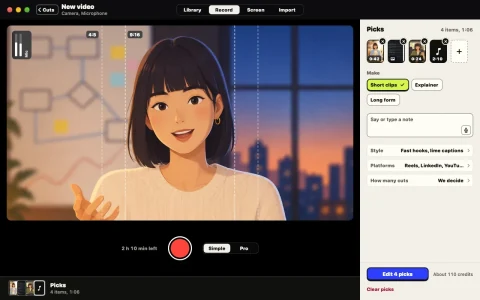
Preview screen: Recording a new video in Omnomesh on a Mac, with picked takes, the kind of video to make and the style.

Preview: Edit

Edited from what you said

An editing approach built around what you said, so the story leads the cut.

  • Opens on your strongest line
  • Cuts the ums, restarts and lines that wander
  • Keeps the pauses that land
  • Captions, titles, graphics, music and colour
Preview screen: A finished cut in the Omnomesh app on iPhone, ready to share.

Preview: Where you post

Videos shaped for where you post

Cuts designed for Reels, TikTok, Shorts, LinkedIn, X and YouTube, shaped around how people watch there.

  • Edited for the kind of video you made
  • Different cuts from the same footage
  • Save to Photos or share in a tap
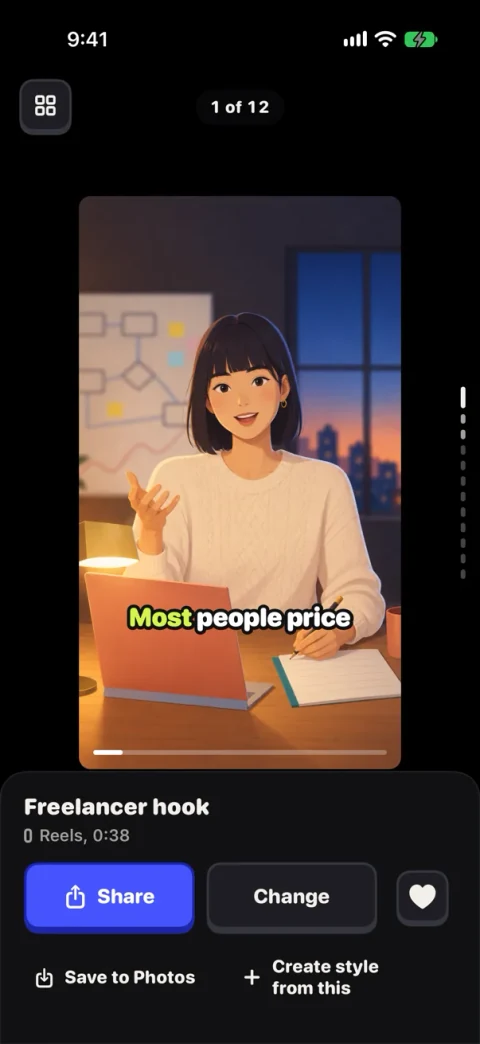
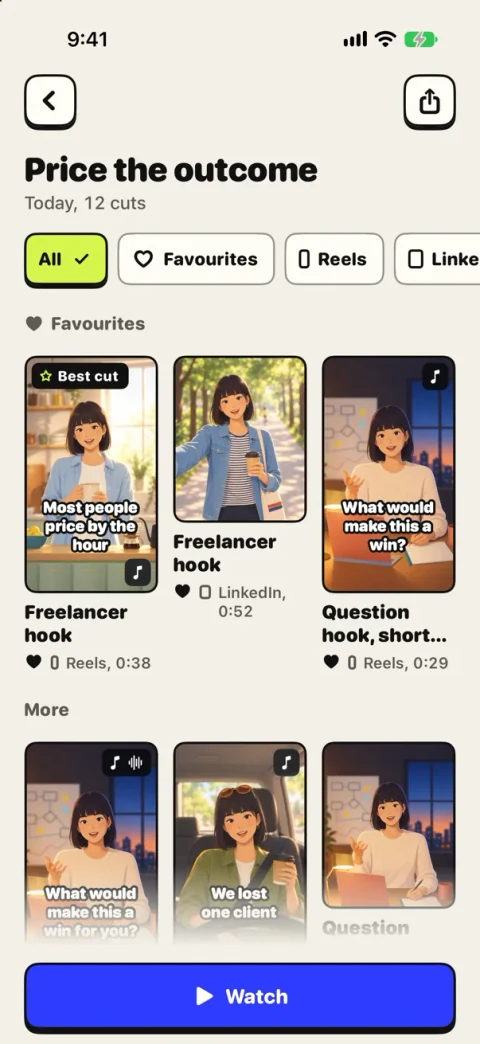
Preview screen: The cuts of one take in the Omnomesh app on iPhone.

Preview: Change

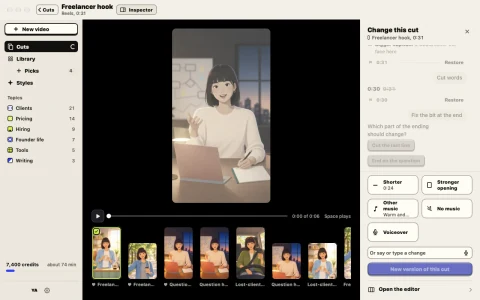
Ask for a change in a sentence

Say or type what you want, or pick a change: shorter, a stronger opening, other music, or a voiceover.

  • Ask for a change while you film, too
  • Every change makes a new version, so the one you had stays
Preview screen: Changing a cut in Omnomesh on a Mac: shorter, a stronger opening, other music, no music or a voiceover.

Preview: Editor

Or edit it yourself

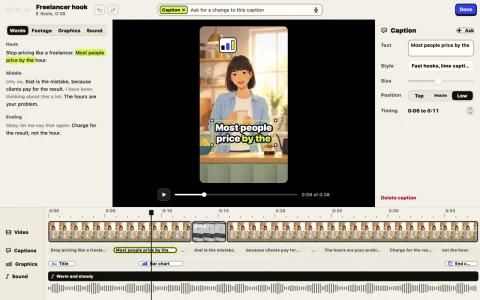
Open any cut in the editor to change the words, captions, graphics and sound on a timeline.

  • Cut by editing the words
  • Every caption and graphic adjustable
Preview screen: The Omnomesh editor on a Mac, with the words of the take, the cut and tracks for video, captions, graphics and sound.

Preview: Style

Your style, on every video

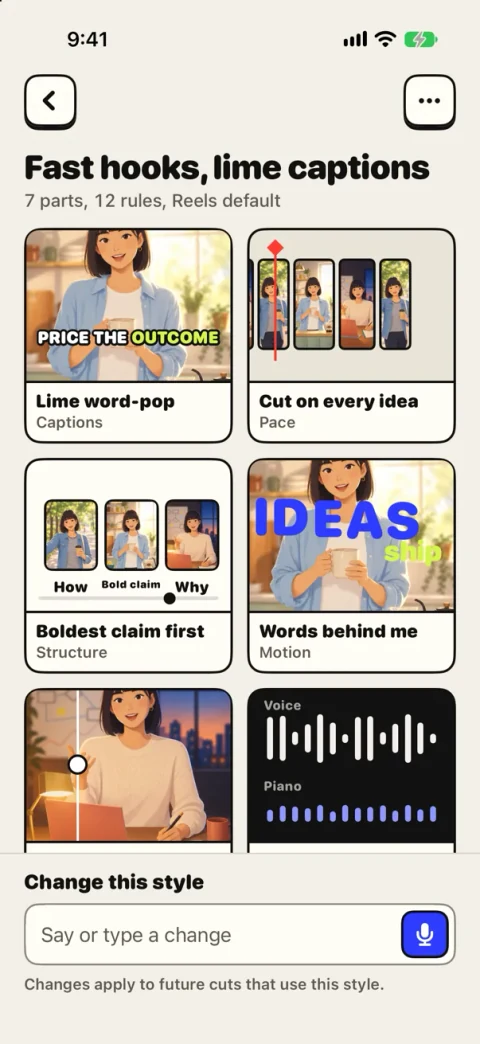
Save a style from a cut you like, or describe one, to guide the look and feel of your next video.

  • Change a rule by saying it
  • Your logo, colours and fonts
  • No house style
Preview screen: A style in the Omnomesh app on iPhone, with its rules for captions, pace, structure and motion.

Preview: Library

Your footage, searchable by what you said

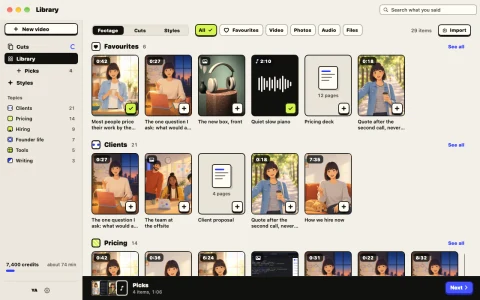
A Library designed to keep takes and cuts together, organised around the topics you talk about.

  • Find a moment by the words in it
  • Favourites and topics
Preview screen: The Library in Omnomesh on a Mac, with takes and cuts sorted into topics.

Preview: Everywhere

On iPhone, Mac and the web

One account across all three, with the same takes, cuts and styles.

  • Keeps editing with the app closed
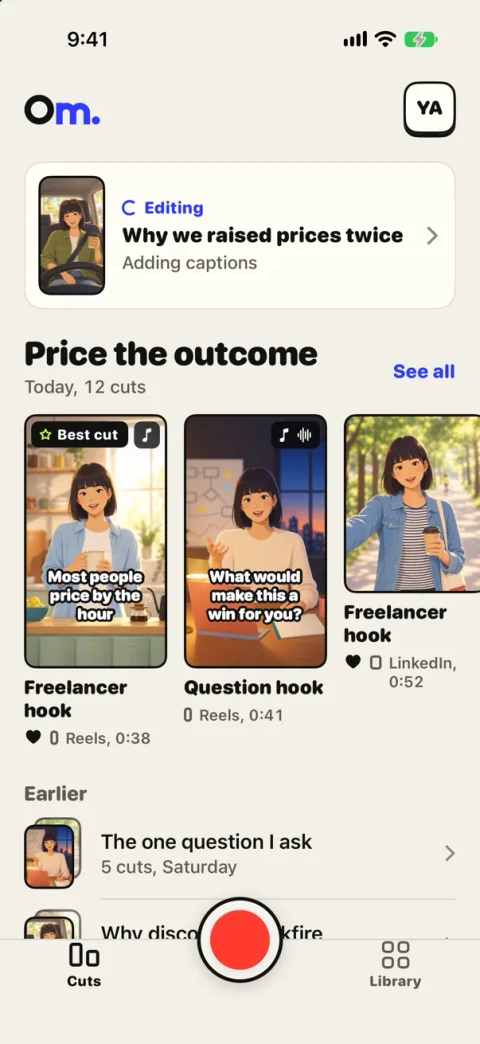
  • Your cuts wait for you on Home
Preview screen: Home in the Omnomesh app on iPhone, with a take being edited and today’s cuts.

Edited for the kind of video you made

We’re building around the differences between an interview, a demo and a launch, so each gets the kind of edit it calls for.

  • Talking to camera
  • Street interviews
  • Podcast clips
  • Founder and team updates
  • Product demos
  • Screen walkthroughs
  • Launch videos
  • Long videos into shorts

Be part of Omnomesh early

Request an invitation to the private beta. We’ll be in touch as access becomes available. Already invited? Sign in below.